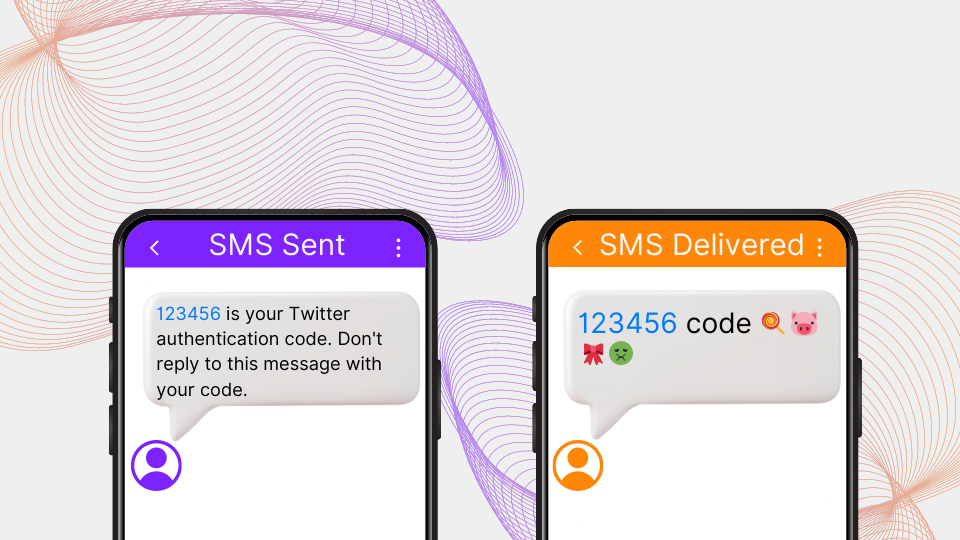
SMS delivery testing verifies that messages sent through your routes actually arrive on recipient handsets — with the correct Sender ID, unmodified content, and within acceptable latency. It's the difference between what your supplier's delivery report claims and what really happened. TelQ runs tests on real SIM cards in 180+ countries to show you which is which.
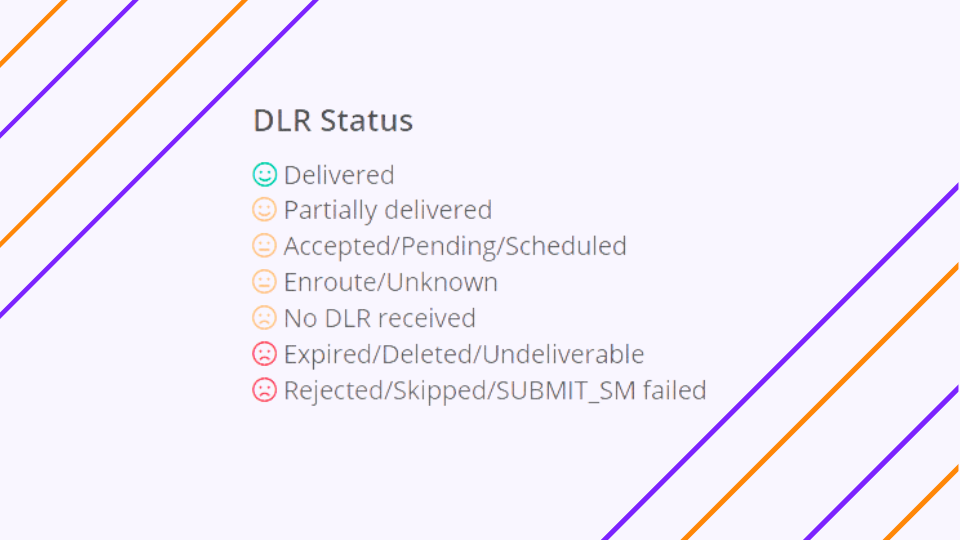
The delivery receipt your supplier sends you and the delivery receipt your recipient's handset generates are two different values. Your supplier controls the first one. The second one is the truth. On most routes, most of the time, they match. When they don't, the mismatch is rarely accidental — fake DLRs are intentionally generated, and the only way you find out is when your customer support inbox fills up.
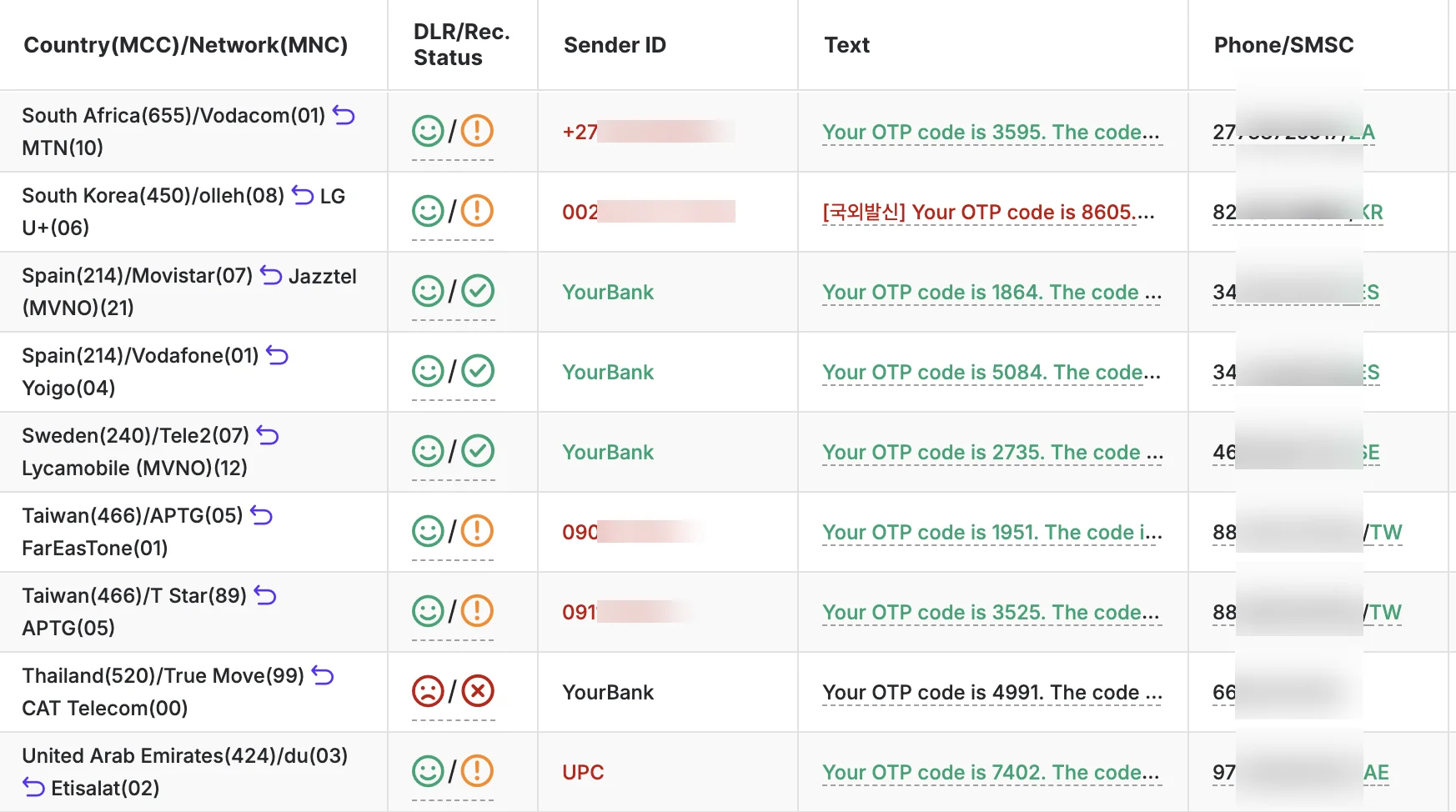
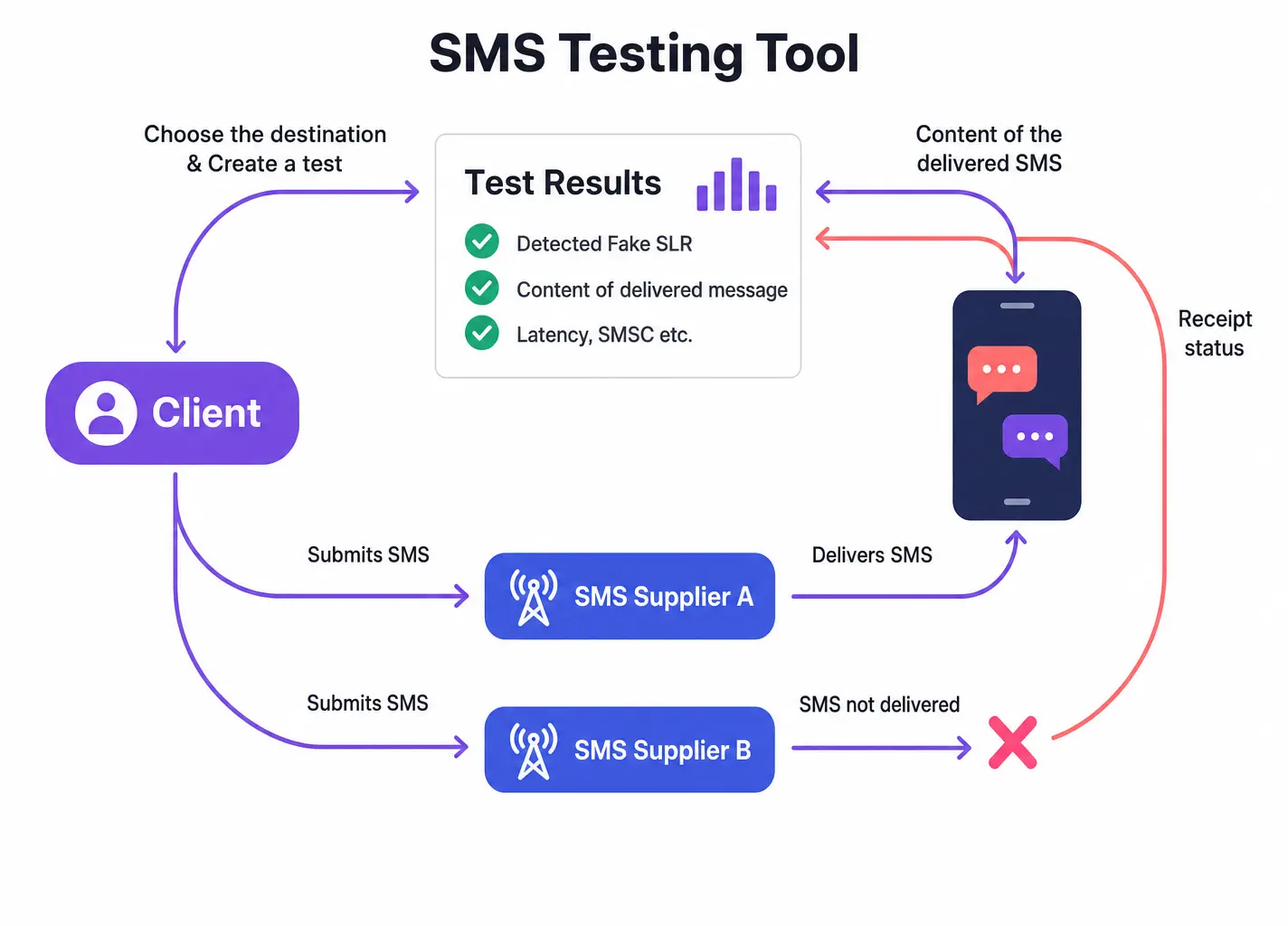
SMS delivery testing closes that gap. You send a test message through the same route your production traffic uses, to a real handset in the target market, and you see exactly what arrived: delivery status, Sender ID as displayed, message content as received, which SMSC actually handled the message, and how long the whole thing took. Not what your vendor reported — what happened.
If you've spent time in fake DLR disputes with suppliers, you already know what that's worth. If you haven't run that conversation yet, you'll understand it the first time you test a "99% delivery rate" route and discover what real handsets in that market are actually receiving. Juniper Research puts global SMS fraud losses at $71 billion for 2026. A meaningful share of that figure is built on the gap between what suppliers report and what recipients receive.
What SMS delivery testing actually tests
A delivery receipt is only one piece of what route quality testing covers. The failure modes are more varied than most people expect when they first set up serious testing infrastructure. None of them are visible from your origination side.
| Failure mode | What your platform shows | What TelQ's handset captures |
|---|---|---|
| Delivery status | Supplier DLR: "Delivered" | Whether the message actually arrived |
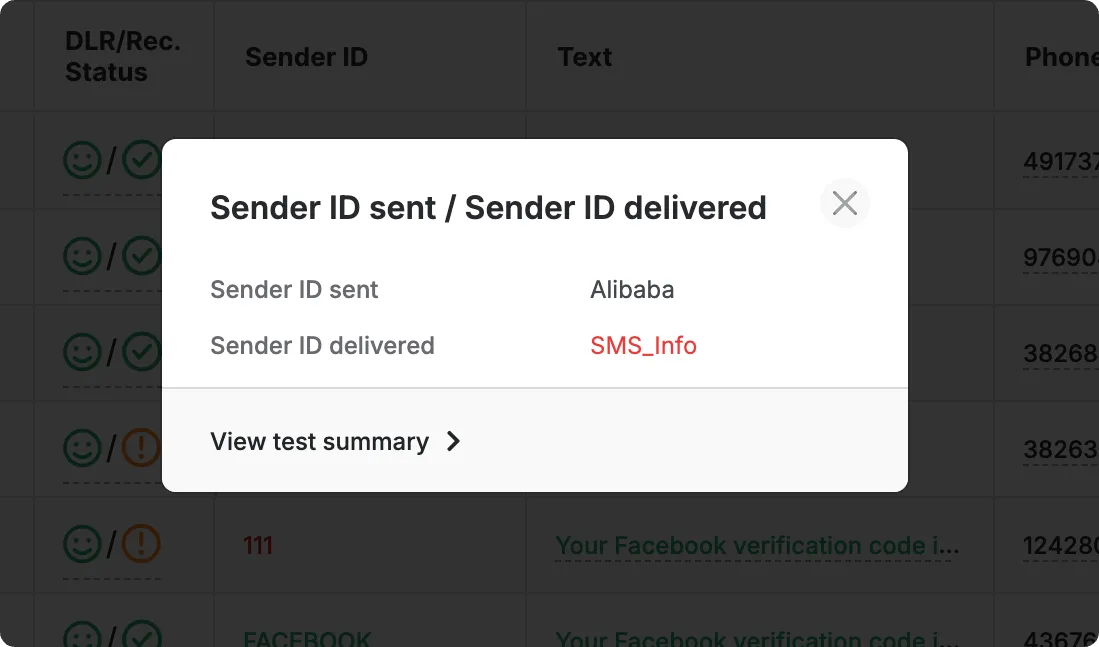
| Sender ID | The name or number you configured | The name or number the recipient saw |
| Content | The text you sent | The text as received — truncated, re-encoded, or modified |
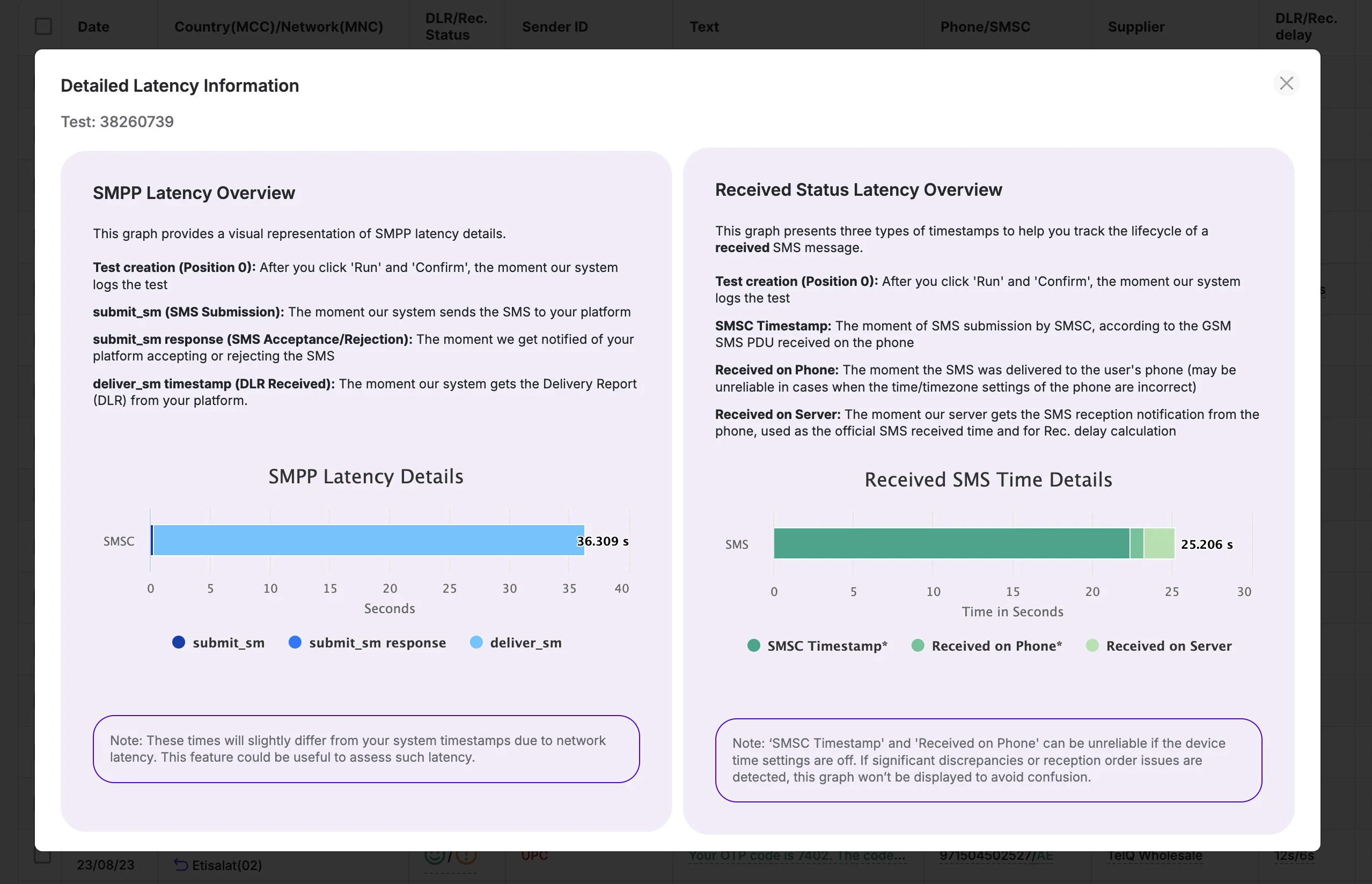
| Latency | Supplier-reported delay | Actual time from send to handset receipt |
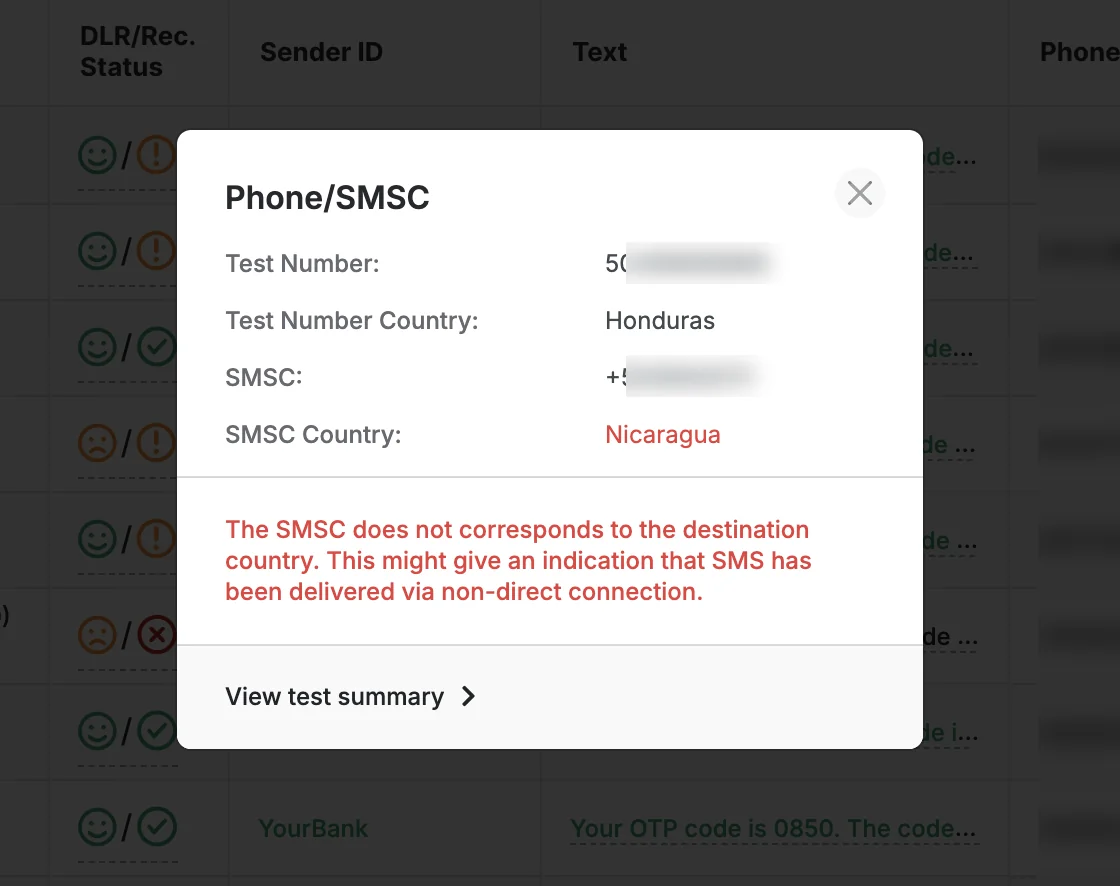
| SMSC identity | Not visible | Which SMSC handled it and who owns it |
| Concatenation | Message sent | Whether multi-part messages reassembled correctly |
The most consequential of these is the delivery status mismatch. Your supplier's DLR reports success; TelQ's test handset shows no message arrived. This is a fake DLR. It's not an edge case: fake DLRs are a documented, ongoing problem in the SMS industry, especially common in routes with multiple undisclosed intermediaries.
SMSC identification is how you verify what's actually behind a supplier's route claims. When TelQ's handset receives your test message, the platform records which SMSC it came from and runs a lookup to identify the owner. This is how you verify whether the SMSC handling your traffic matches what your vendor claimed.
Your system sees what it sent. Testing shows what arrived.
Why your supplier's delivery report isn't proof
A DLR is generated by your supplier's SMSC at the moment of acknowledgement — not at the moment of handset delivery. These are separate events, sometimes separated by seconds, sometimes by minutes, and on problem routes, the DLR may never correspond to a real handset receipt at all.
Here's the mechanics: when your message enters a supplier's SMSC, the SMSC generates an intermediate acknowledgement. That acknowledgement can be returned to you as a final DLR while the message is sitting in a queue, stalled at a downstream carrier, or has already been dropped silently. From your platform's perspective, it looks like a clean delivery. From the recipient's perspective, nothing arrived.
TelQ catches this by comparing what your supplier reported against what TelQ's test handset actually received. When those two things disagree, the discrepancy is recorded in the test result with full detail: delivery status, SMSC, timestamp. "Your vendor says delivered" stops being an answer when a physical handset in the target market shows otherwise.
For a detailed breakdown of how fake DLRs are constructed and how to handle supplier disputes, the fake delivery reports guide covers the mechanics.
How SMS testing works
The test originates from your own infrastructure, through the same route your production messages use. That's the design requirement that makes results representative: you're not testing TelQ's network; you're testing yours.
The flow:
- Insert Test ID Text into the message body. TelQ's Test ID Text is a short configurable code that identifies the specific test request when TelQ's handset receives it. You set the format — numeric, alphanumeric, OTP-style — to match your real production content. Routes that whitelist obvious test traffic will treat a realistic-looking message the same as production traffic, which is exactly the point.
- Send the message through your supplier. From your own SMS platform, using the same routing configuration as your live traffic. The test travels the same path a real message would.
- TelQ's handset receives the message. The destination is a real SIM card in a physical device, in the country and on the network you're testing.
- TelQ records everything. Delivery status, Sender ID as shown, message content as received, SMSC details, latency from send to receipt.
- You see the result. What the handset got — not what your platform reported sending.
On test numbers: TelQ rotates them rather than assigning dedicated numbers per account. Routes that recognise and whitelist known test numbers will behave differently on test traffic than on production traffic, defeating the purpose. With 12,000+ active test numbers (up to 150 per network) across 1,500+ networks, rotation is what keeps results accurate. The SMS whitelisting guide explains how routes detect test traffic and what TelQ does about it. TelQ has run 100M+ tests since 2016; the rotation logic reflects what actually defeats whitelisting at scale.
Automated SMS testing — monitoring routes continuously
That's the process for a single manual test. Routes change — MNO filtering shifts, grey paths get blocked and rerouted, supplier configurations degrade — often faster than a manual testing cadence can track.
Manual tests catch problems when you think to look. The Scheduler catches them when they happen.
TelQ's Tests Scheduler runs delivery tests at configurable intervals on any route — hourly, daily, or at whatever cadence your traffic profile warrants. When a result deviates from defined criteria — a delivery failure, a Sender ID change, latency above a threshold — you get an alert. The route failed; you know before your customers do.
For aggregators managing multiple supplier relationships across many markets, scheduled testing turns route quality from a reactive problem into a monitored process. You're not waiting for customer complaints to surface a degraded route. You're catching the degradation when it happens, with a timestamp and a test result you can put in front of the supplier.
For teams embedding route monitoring into their own systems, TelQ supports both REST API and SMPP integration. The REST API gives full access to test initiation and result retrieval; SMPP connects directly to your existing SMPP server. The API documentation covers both paths, including how to implement custom alerting logic on top of TelQ's results.
SMS testing for aggregators vs. enterprises
The test is the same. What it's answering differs.
For aggregators, SMS delivery testing is supplier accountability. Your carrier claims tier-1 direct delivery into a target market. The test tells you whether that's true: whether the message arrives, which SMSC actually handled it, and whether the Sender ID you specified is what the recipient's screen showed. When the SMSC in the test result doesn't match what your vendor claimed, that's a documented discrepancy, not a customer complaint. It changes the nature of the conversation.
Continuous monitoring matters here too. A route that passed testing last quarter can start generating fake DLRs or substituting Sender IDs this quarter. Scheduled tests with timestamps make route degradation a matter of record rather than a dispute about memory.
"The TelQ platform allows us to easily identify which SMS have been successfully delivered, whether we have received a false DLR, and if there are any changes to the sender id or content of the SMS."
— Connor C., Global Sales Manager, Telecommunications (Capterra)
For enterprises, the entry point is usually a delivery quality complaint — OTPs not arriving, authentication failures, support tickets spiking. SMS delivery testing gives a specific diagnosis rather than a circular exchange with a carrier's support team — answering the question every support ticket eventually becomes: is it the number, or is it my route? Delivery failure, Sender ID issue, latency problem: each has a different fix and a different conversation to have with your messaging provider.
Multi-market operators should test for Sender ID consistency across markets specifically. A brand name that routes correctly in one country may be stripped or substituted in another on the same supplier. The Sender ID guide covers the regulatory and technical reasons for market-specific Sender ID behaviour; testing is how you verify what's actually happening in each market you operate in.
Running your first SMS test
SMS testing doesn't require integration to get started. A manual test — no API, no SMPP configuration — takes a few minutes.
- Register and activate your TelQ account.
- Select your test destination — country and network. TelQ's coverage spans 180+ countries and 1,500+ networks, with real SIM cards in each market.
- Copy the Test ID Text from the TelQ platform and add it to your message body, along with the Sender ID you want to verify.
- Send the message from your own SMS platform to the TelQ test number shown, using the supplier or route under test.
- Read the result — delivery status, Sender ID as displayed, content as received, SMSC, latency.